IICRC Annual Renewal vs. the 4-Year CEC Cycle: What Is Actually Due and When?

Stop the confusion: IICRC annual renewal vs 4-year CECs. See a Year 1–4 timeline, Master/Inspector rule, and online options.
Aug 6 / RestoreTech 360 Team

Key Takeaways

If you do one thing, separate these two trackers: the annual renewal (paid every year to keep your status current) and the CEC cycle (a longer window where you earn continuing-education hours).

  • Annual renewal is a yearly fee and status check

    • Think: pay once per year, confirm your info, stay active

    • This does not automatically cover continuing education

  • CECs are a separate 4-year requirement tied to education hours

    • Most techs need 14 hours of approved continuing education within each 4-year cycle

    • You can be fully paid up annually and still be short on hours at the end of the cycle

  • Master and Inspector credentials run on a different clock

    • Those credentials follow a 2-year continuing-education timeline

    • Track that 2-year deadline separately from your 4-year CEC cycle so one does not sneak up on you

Stop mixing up annual renewal and CEC deadlines

You paid your annual renewal last week, but your certification portal still shows a warning or “not in good standing.” That usually happens when the annual renewal is current, but your CEC cycle is close to ending and you are short on hours.

A practical way to plan is to treat these as two separate calendars: one annual renewal about every 12 months, and a 14-hour CEC requirement that must be done within each 4-year cycle by your cycle end date. If you do one thing, do this: write down your cycle end date first, because that date is the one that can create a sudden problem even if you paid the yearly fee.

Here’s a simple way to know what’s due each year vs. what tends to pile up in Year 4:

  • Every year: confirm your annual renewal is paid and processed, then check that your contact info and status look correct in your profile

  • Years 1 to 3: aim for a small amount of progress so you are not trying to find 14 hours in a single month, for example 3 to 4 hours per year

  • Year 4 only: finish any remaining hours before the cycle end date, then re-check your status a few days later in case processing takes time

Here’s the catch: “I’ll just catch up online later” works best when you still have weeks or months before your cycle ends. It often fails when your deadline is in the next few days, because you may not have enough time to complete the hours and allow for updates to show in your account.

If you’re short on time, skip the perfect plan and do a fast triage instead:

  • Find your cycle end date and how many hours you still need

  • Block 2 to 3 focused sessions this week (even 60 to 90 minutes each) to start chipping away

  • Keep a simple record of what you completed so you can match it to your requirements and follow up if your status does not update

What annual renewal actually covers and what it does not

Next, it helps to treat annual renewal like keeping your account active, not like finishing your education requirement. Annual renewal is the year-to-year step that keeps your credentials in an active status, so you can continue to represent yourself as certified without gaps.

What it does not do is replace your multi-year continuing education requirement, which stacks up over time and is typically checked at the end of your cycle. If you only do the annual renewal each year, you can still hit Year 4 and find out you are short on CEC hours.

Also, a few predictable failure points cause most of the last-minute stress:

  • The "I renewed, so I’m good" mindset: renewal keeps status active, but it does not automatically mean you have enough CECs banked

  • Lapsed status: missing a renewal step can create a gap that may restrict how you can present your credential until it is fixed

  • Surprise CEC shortfalls: putting off CECs until the final months often means scrambling to find available, relevant hours when you need them

If you do one thing, separate these into two recurring calendar items: annual renewal every year, and a mid-cycle CEC check (for example, once per year or at least at Year 2). If you’re short on time, skip the detailed tracking spreadsheet and just keep a running total of completed hours plus what you still need.

The simple Year 1 to Year 4 timeline to prevent surprises

Next, think of your certification upkeep as two tracks running at the same time: (1) an annual renewal you handle every year, and (2) CEC hours that add up across a 4-year cycle.

If you do one thing, separate these two due dates on your calendar. Annual fees repeat every 12 months, while your CEC total only has to reach 14 by the end of Year 4.

Here’s a simple way to map it year by year:

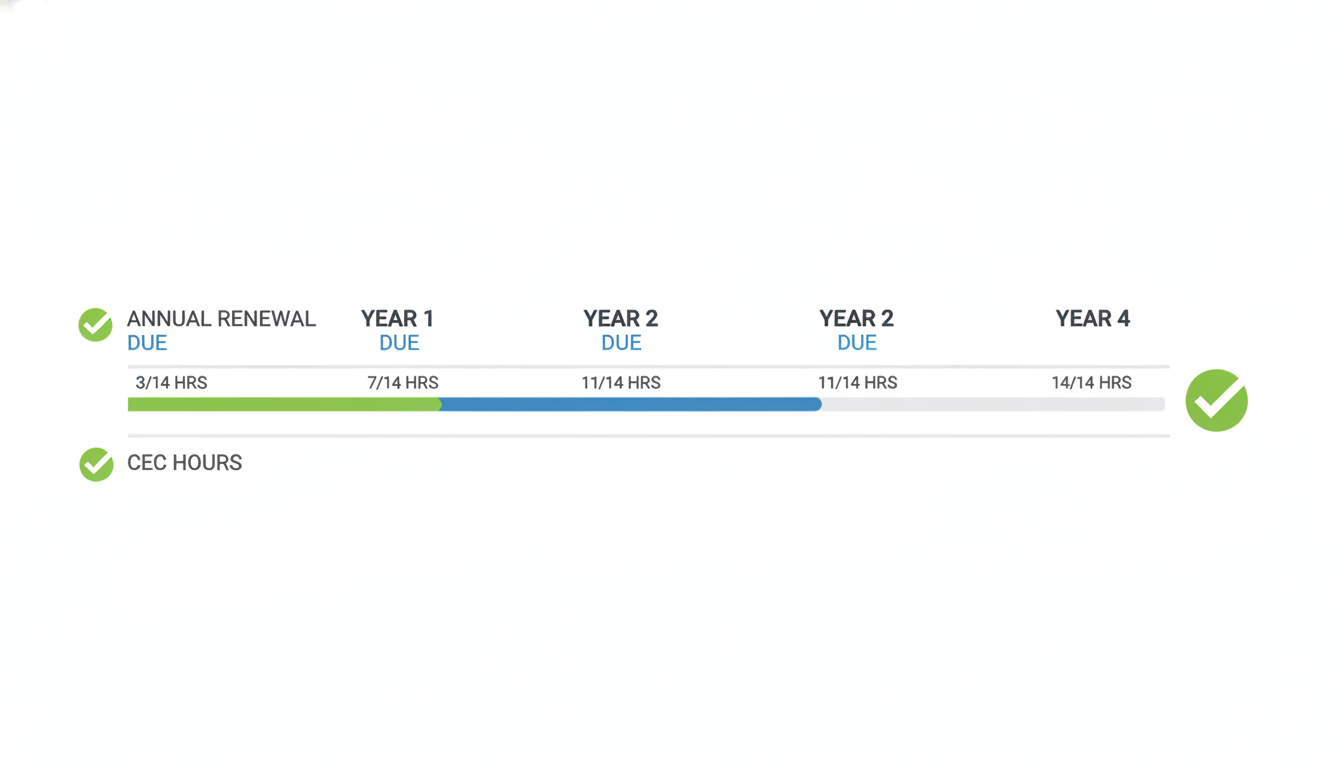
  • Year 1: Pay annual renewal when it comes due, start logging CEC hours (even 2 to 4 hours early helps)

  • Year 2: Pay annual renewal again, keep adding to your running total

  • Year 3: Pay annual renewal again, check your pace (for example, if you have 6 hours logged you may want to plan the remaining 8)

  • Year 4: Pay annual renewal again, finish any remaining hours so you reach 14 before the cycle end date

Here’s the catch: this works best when you track hours as you earn them. It fails when you wait until Year 4 and then discover you still need a large chunk of hours with little time left.

To make this easy, track three numbers in one place (a note on your phone is enough):

  • Your personal 4-year cycle start date and end date

  • Current CEC hours logged (running total)

  • Remaining hours to 14 (14 minus what you have logged)

Common mistake: people track only the annual renewal payment and assume they are fully covered. Fix: add a recurring Year 4 checkpoint 6 to 9 months before your cycle ends to confirm your remaining hours and schedule what’s left.

The special 2-year Master and Inspector rule

Next, if you hold a Master or Inspector credential, your continuing-education clock often runs on a separate 2-year cadence. That 2-year requirement does not replace your annual renewal, it sits beside it, meaning you can be fully renewed for the year and still be approaching a 2-year education checkpoint.

Here’s why this trips people up: annual renewal is typically tied to keeping your status active each year, while the 2-year cadence is about keeping the Master or Inspector credential current on its own schedule. Works best when you track these as two separate reminders; fails when you assume paying or renewing annually automatically resets the 2-year education timeline.

A quick checklist to keep the 2-year cadence straight

So, before you book your next class or log hours, verify three things now so you do not mix 2-year and 4-year rules:

  • Which credential the 2-year rule applies to in your profile (Master, Inspector, or both)

  • The start and end dates of your current 2-year window (use the dates shown in your account, not the date you last took a class)

  • Whether the course hours you plan to take count toward that credential type

If you do one thing, put one calendar hold on the earlier date, not the later one. For example, if your annual renewal is in 3 months but your 2-year checkpoint is in 6 weeks, the 6-week date is the one that can create an urgent scramble.

What date to put on your calendar

That said, use a two-reminder approach to stay out of trouble:

  • Renewal reminder: set it 30 days before your annual renewal date

  • Education reminder: set it 90 days before your 2-year Master or Inspector deadline

Common mistake: writing down your 4-year cycle end date and assuming it covers everything. Fix: keep separate labels in your calendar, such as “Annual renewal” and “Master or Inspector 2-year CE,” so you do not accidentally plan a 12-month schedule around a 24-month rule.
Closing remarks

“Paying the yearly fee keeps you current; earning the CECs keeps you qualified.” Keep those two jobs separate in your calendar: one is a yearly check-in, the other is proof you stayed active over a multi-year cycle.

Next, take 2 minutes today to confirm you have both dates written down, not just the one that shows up most often. Are you tracking two deadlines, or only the one that feels urgent today?

If you do one thing after reading this, make it a simple reminder pair: set an annual renewal reminder, then set a second reminder 60 to 90 days before your 4-year cycle ends to review your remaining CEC hours. If you’re short on time, skip reorganizing your whole system and just add those two reminders to the calendar you already check daily.

A common mistake is assuming that paying the annual fee buys you more time on CECs, then realizing the CEC deadline is weeks away. The fix is simple: treat renewal as “status” and CECs as “qualification,” and do a quick hour count at least once per year so the final year is not a scramble

Get your remaining IICRC CEC hours online before your cycle ends

So once you know what you still need, the fastest way to finish is to complete the remaining hours online while you still have time to fix issues. A good rule of thumb is to plan for more time than the seat-time listed, because pauses, retakes, and admin steps can add 15 to 30 minutes per course.

If you do one thing, do this: match the course CEC hours to the exact gap you have left. This works best when you are short by a small amount like 1 to 6 hours; it fails when you assume any class will count for any certification without checking.

If you're short on time, take a simple fast path:

  • Check how many CEC hours you still need for your current 4-year cycle

  • Choose IICRC-approved CEC courses that add up to that number

  • Enroll and complete the course modules in one or two focused sessions (for example, 60 to 120 minutes at a time)

  • Save your completion record right away (PDF, screenshot, or email confirmation)

  • Confirm your credits are logged so your cycle shows the updated total

A common mistake is finishing the training but waiting weeks to verify it posted, then discovering something is missing when the cycle is about to end. The fix is simple: confirm posting within a few days, and if it is not there, contact support with your completion record and the course details.