IICRC CEC Credits After Changing Companies: Renewal Steps for Technicians

Jul 17 / RestoreTech 360 Team

Key Takeaways

  • Your IICRC certification and renewal status follow you, not your employer

  • Update your IICRC profile details and verify company affiliation to prevent renewal delays

  • Save and organize your own IICRC continuing education certificates so you never rely on a past employer

You changed companies and now your IICRC account looks wrong

Next, imagine you log in after starting a new job and something feels off: your email is old, your employer name still shows your previous company, or your CECs look incomplete. That can turn into a renewal surprise later, especially if notices go to an address you no longer use.

Plan 15 to 30 minutes to confirm your profile details, company affiliation, and the records that back up your continuing education. By the end of this section, you will have a simple checklist to update your account and reduce the risk of missing or delayed credit during renewal.

Here’s a quick checklist to run through right after a job change (or any time your account looks wrong):

  • Confirm the email you can access today and update it if needed

  • Check your mailing address and phone number so renewal notices reach you

  • Review your employer or company affiliation fields for accuracy

  • Scan your certification list and note anything missing or showing an older status

  • Review your CEC total and the date range shown, then write down what looks incorrect

  • Gather proof for recent training (completion certificates, receipts, sign-in confirmations) in one folder

Common mistake: only fixing the employer name and assuming the rest updates automatically. Fix: verify contact details and CEC history in the same sitting so you do not have to hunt for documents the week your renewal is due.

Confirm what transfers when you change employers

Next, separate your credential from your employer details so you know what to fix and what to leave alone.

The core rule is simple: your certification belongs to you as the technician, not the company you worked for. Changing employers should not erase your credential history, your certification status, or the continuing education credits already applied to your record.

What can change is the account layer around your credential. When you move to a new company, any of these may need updating or may look different in your portal:

  • Login email or username tied to an old work address

  • Phone number and mailing address used for renewal notices

  • Company affiliation shown on your profile (old firm vs new firm)

  • Who your employer says is their current staff list

A common mistake is assuming your certification has been transferred away because the company name changed or your login stopped working. The fix is to check for two separate things: (1) your credential history is intact, and (2) your contact and affiliation details match your current situation.

If you do one thing, do this quick check before you spend an hour searching for missing credits:

  • Confirm your technician record shows the same name and credential history as before

  • Treat company affiliation as editable profile data, not proof your certification moved

  • If you are short on time, focus on the email and mailing address first so renewal notices still reach you

Update your account profile so renewal notices reach you

Next, make your account details boring and correct, because renewals fail for simple reasons like an old email address or a typo in a phone number. If you do one thing, make sure the email you actually read is listed as your primary contact.

Update the basics so notices, receipts, and mail do not go to your previous company or an old address:

  • Personal email you check weekly

  • Phone number you still control (avoid a shared office line)

  • Mailing address (use a stable home address if you move job sites often)

  • Preferred name and spelling that matches your certificates and renewal records

But contact info is only half of it. Verify you can get into the account today, not when a deadline is close. Check that your login email is accurate, then confirm you have at least one recovery method you control so you are not dependent on a former employer.

If you're short on time, do this quick check in 5 minutes:

  • Log out and log back in using the email you believe is on file

  • Trigger a password reset to confirm the recovery email or phone works

  • Save the updated login email and recovery method in your password manager

Common mistake: leaving a work email as the login because it “still forwards.” Fix: switch to a personal email before your access changes, then re-test the reset flow once more to confirm it reaches you.

Protect your IICRC continuing education documentation before renewal time

Also, treat your CEC paperwork like a job file, not something you will “find later” during renewal week. A safe rule is to keep your own copies of every certificate and receipt as soon as you finish a class, even if the provider says they report it for you.

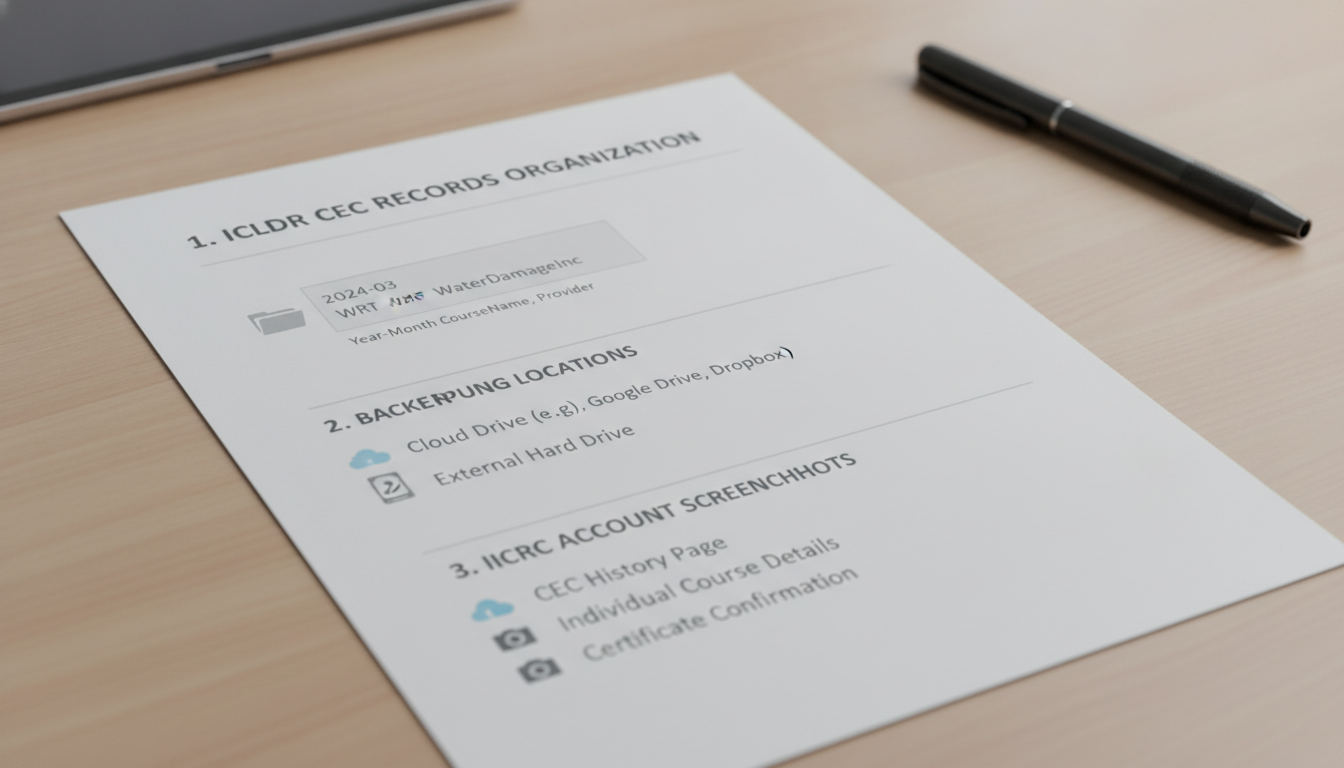
Right after a course (same day if possible), download your certificate, rename it, and store it where you can search it fast months later. If you do one thing, do this filename format so it sorts correctly: YYYY-MM-DD_CourseName_Provider_CECs.pdf

Next, check your IICRC transcript or CEC history view on a schedule and reconcile gaps early. Waiting until the last week before renewal is the common mistake, because it leaves you no time to fix typos, duplicate entries, or a provider that never uploaded credit.

Use this quick technician checklist:

  • Create one main folder called IICRC_CECs and make subfolders by year (example: 2026)

  • Save certificates in the matching year folder using the same filename format every time

  • Keep two backups: one cloud drive and one external drive

  • Screenshot the IICRC account pages that prove completion, such as CEC history, course detail lines, and any confirmation screens

  • Reconcile monthly if you take frequent classes, or quarterly if you only take 1 to 2 courses per year

Here’s the catch: this works best when you save records right after each course. It fails when you rely on email search months later, especially after changing employers, devices, or email accounts.

Closing remarks

Next, keep this phrase in mind: “Your credential is your professional passport—carry it, don’t borrow it.” If your employer changes, your responsibility stays the same, so treat your records and account details like something you might need to show on short notice.

So what is the one update you can make today so your next renewal is routine instead of a scramble. Pick one of these and do it in 10 minutes:

  • Confirm your email and mailing address in your IICRC profile

  • Save copies of your CEC certificates and transcripts to a personal folder you control

  • Make a simple tracking note with course name, date, and credits earned

  • Set a calendar reminder 60 days before your renewal window