Instant Certificate IICRC CEC: Get Proof of Completion Fast

Aug 21 / RestoreTech 360 Team

Key Takeaways

  • Instant-download IICRC CEC certificates reduce risk during audits, franchise checks, and last-minute renewal deadlines

  • Automated quizzes, grading, and certificate generation can provide proof of completion within minutes of finishing

  • Verifying your name, technician ID, course details, and provider accreditation prevents rejected submissions

When an audit email hits and your renewal deadline is tomorrow

Next, picture this: it’s late afternoon and a franchise compliance or insurance audit email lands in your inbox asking for proof of completion today. You do not need motivation, you need a document you can attach, with the right course details, before someone closes the ticket or flags your file.

Here’s the catch: many in-person classes and manual-certificate courses take about 24 to 72 hours to issue documentation after you finish. That lag is fine when you have a week, but it fails when your renewal deadline is tomorrow or your compliance team wants same-day proof.

If you do one thing, make your plan around getting an instant certificate tied to an IICRC CEC course. By the end of this section, you’ll know how to:

  • Earn the CEC on a self-paced course when time is tight

  • Download the certificate immediately after completion

  • Verify the certificate details before you submit it

If you’re short on time, skip “organizing everything later” and focus on two actions in this order: finish the remaining lessons and confirm the certificate download is available right away. A common mistake is waiting until the end of the day to test the download, then realizing you need to request documentation manually; the fix is to check certificate access as soon as you start the course.

Why instant digital certificates matter for insurance audits and franchise compliance

Next, it helps to think like the person reviewing your paperwork. Many audit checks are fast, and if your proof is missing or unclear, the reviewer may treat it the same as “not completed” even if the training happened.

Common failure points tend to be simple admin issues, not the training itself:

  • Missing proof of completion when the audit request comes in

  • Delayed paperwork that arrives after the deadline

  • Mismatched technician details (name spelling, different email, swapped employee ID)

  • Unclear course provider information that makes the certificate hard to validate

If you do one thing, make sure your completion proof is usable the moment you download it. Instant digital certificates reduce the back-and-forth that can cost you hours you do not have, especially when you are coordinating multiple technicians across locations.

That said, “acceptable proof” for quick insurance or franchise checks is usually specific and easy to confirm at a glance. A strong certificate typically includes:

  • A timestamped completion date (and time if available)

  • The course title exactly as the auditor expects to see it

  • The CEC hours listed as a number (for example, 1.0, 2.0, or 3.0)

  • Clear learner identity (full name, and often an email or other identifier)

Here’s the catch: a certificate can look official and still fail review if any of those fields are missing or inconsistent. For example, “Mike R.” on the certificate but “Michael Rivera” on the audit roster can trigger a follow-up request, which is a problem when your deadline is measured in hours, not days.

How self paced IICRC CEC online courses generate certificates immediately

Next, the fastest way to get proof of hours is to pick a course that issues the certificate automatically the moment you finish.

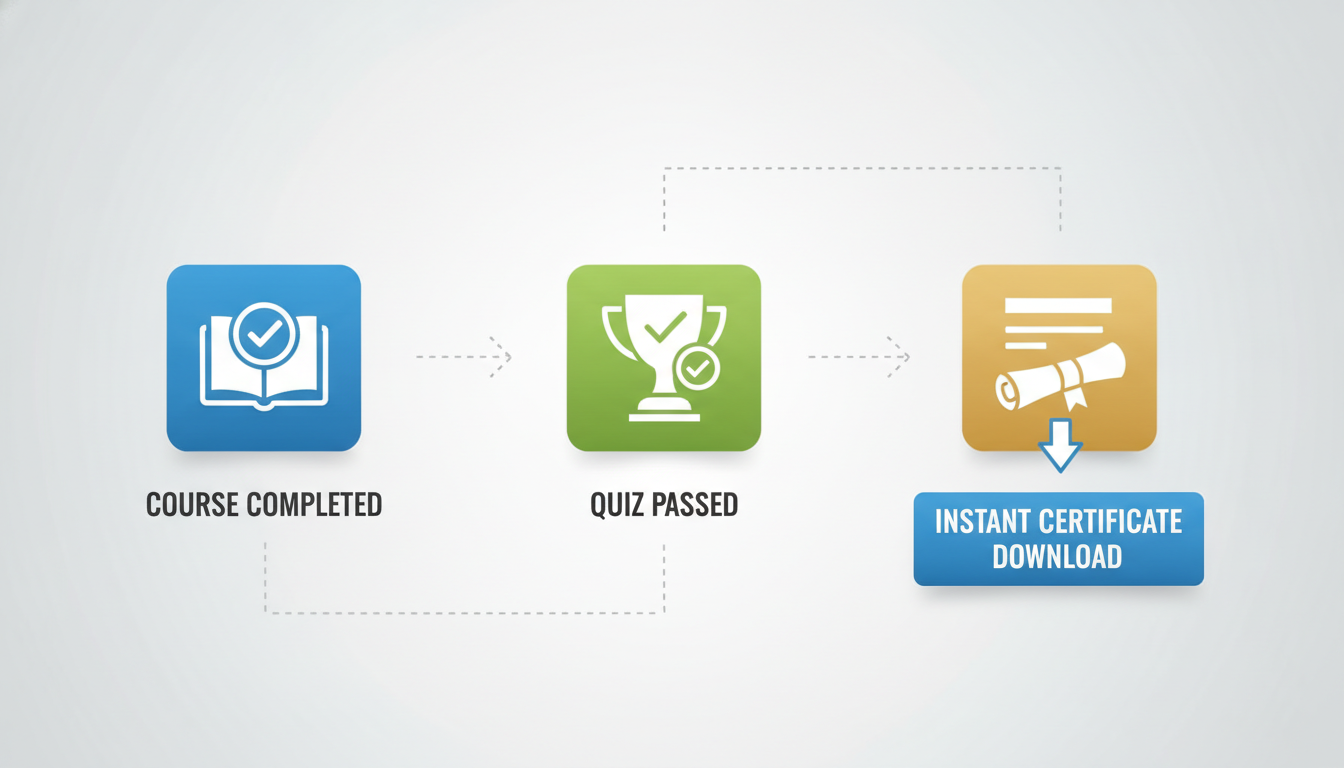
In a solid self paced iicrc cec online setup, the system does three things without waiting for a person: checks your progress, scores your quiz, and triggers the certificate as soon as the final requirement is met.

What to look for before you enroll

Also, “instant” depends on how the course is built, not how the marketing copy sounds. You want clear technical signals that the certificate is tied to completion rules.

Look for these features:

  • Automated grading for quizzes, with results shown right away

  • Completion triggers (for example: watch 100% of modules, pass final quiz, submit required steps)

  • A downloadable certificate available at course finish, not after review

  • A visible completion status page so you can confirm you are marked finished

  • A timestamped certificate or completion record so your iicrc cec hours online are easy to document

How the “instant certificate” flow usually works

So, think of it like a simple checklist the system runs in the background.

A typical flow looks like this:

  1. You complete all lessons (often 60 to 180 minutes, depending on the hours)

  2. You take the final quiz and get an auto score

  3. If you pass, the course marks you complete immediately

  4. The system generates a certificate PDF on the spot

  5. You download it and store it with your renewal records for iicrc certification renewal online

Tradeoffs and common delays to avoid

That said, instant certificates work best when the final step is auto-graded. They can fail when a course requires manual review, like an instructor-checked assignment or file upload.

Common mistake: finishing the content but not hitting the real completion trigger. Fix it by checking the course sidebar or progress page for a final item such as “Final quiz passed” or “Mark complete,” then download the certificate right away and save a copy to your phone and desktop.
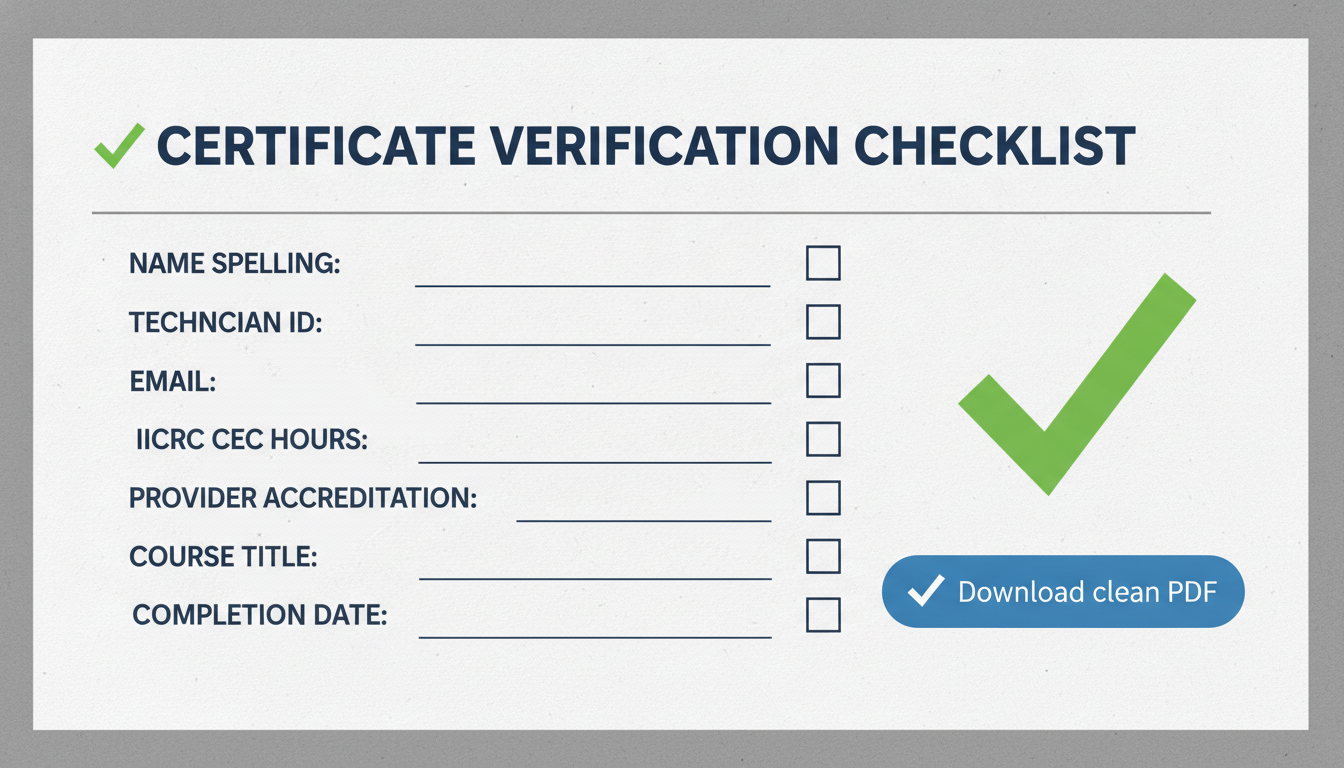
Certificate verification checklist before you submit anything

So before you email HR, upload to a portal, or reply to an audit, take 3 minutes to verify the certificate matches what the reviewer will check first.

If you do one thing, do this: confirm your identity details are correct, then confirm the course and hours match what the audit request asked for.

Identity checks (fast, high impact)

  • Name spelling matches your IICRC profile and the audit request

  • Technician ID is present and formatted the way your company expects

  • Email is correct (the one tied to your training record)

  • Date of completion makes sense for the period being audited (for example, this year vs last year)

Common mistake and fix

  • Mistake: submitting a certificate with a nickname or missing technician ID

  • Fix: request a corrected certificate before you upload anything, then resend the clean version

Also run these compliance checks since they tend to trigger follow-up questions.

Compliance checks (what reviewers scan for)

  • Provider accreditation details are visible (not cut off or missing)

  • Course title matches the exact course name you completed

  • IICRC CEC hours are listed and match what you need (for example, 2.0 vs 3.0)

  • Download is a clean PDF that opens on desktop and mobile (no broken formatting, no blurry screenshot)

If you’re short on time, skip reformatting and only do this: download the PDF again, open it on your phone, and confirm the hours and completion date are readable.

Closing remarks

Deadlines don’t care how great your work is without documentation.

Next, ask yourself one simple question: what would change in your week if your proof of completion was ready the moment you finish the last lesson? For example, instead of spending 30 to 60 minutes digging through emails or screenshots the night before a renewal, you could attach the certificate in minutes and move on.

In practice, commit to a certificate verification routine before every renewal submission:

  • Download the certificate the same day you complete the course

  • Check your name, course title, completion date, and CEC details match your records

  • Save a copy in a single folder labeled by renewal year

  • Keep a backup copy somewhere separate (for example, cloud storage)

If you do one thing, do this: verify and file the certificate while the course is still fresh, not when the deadline is close.

Start IICRC CEC hours online with instant proof